
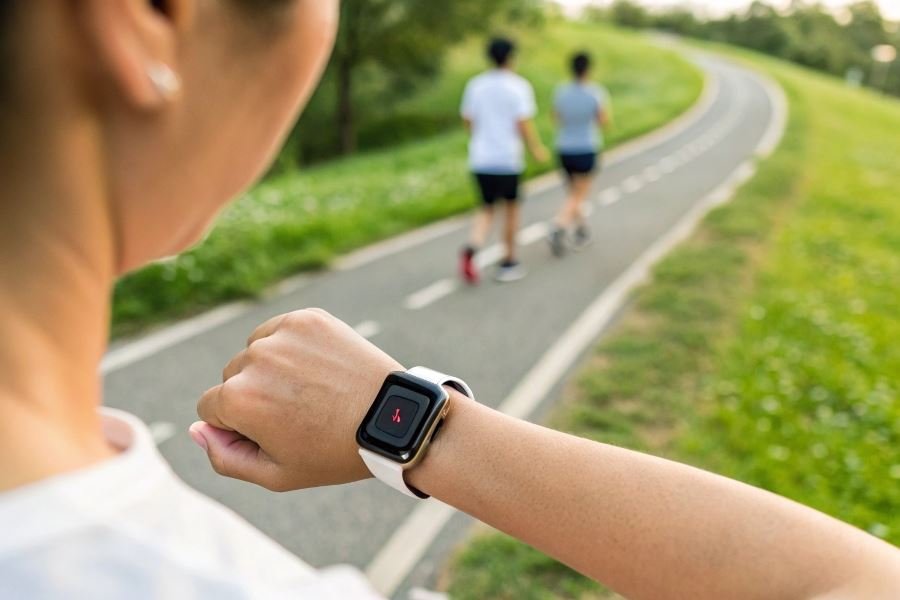
Ever glanced at your step counter showing 12,000 steps after what felt like a marathon day, only to wonder if that number is even remotely accurate? You’re not alone. The difference between approximate and precise step counting can mean the difference between crushing your fitness goals and wondering why your progress has plateaued.
When it comes to tracking your daily movement, accuracy isn’t just nice to have—it’s essential. A properly calibrated pedometer doesn’t just count steps; it provides the foundation for your entire fitness journey. Think of it as the difference between cooking with a precise measuring cup versus “eyeballing it”—one approach consistently delivers results, while the other leaves you guessing.
The accuracy problem nobody talks about
Most users don’t realize their devices might be miscounting by 15-30% right out of the box. That seemingly minor discrepancy adds up dramatically over time! Common culprits include:
- Sensitivity settings that don’t match your walking style
- Placement issues (hip vs. wrist vs. pocket)
- Stride length miscalculations that compound with every step
Why precision matters more than you think
A properly calibrated pedometer transforms your fitness tracking from guesswork into science. Athletes who fine-tune their devices report:
“Once I properly set up my pedometer, I discovered I’d been overestimating my daily activity by nearly 2,000 steps. Adjusting my workouts based on accurate data helped me break through a three-month weight loss plateau.”
Beyond counting steps, accurate tracking provides reliable data for calorie calculations, distance measurements, and meaningful progress tracking—turning your pedometer from a novelty into a powerful training partner that helps you achieve measurable, sustainable results.
Perfect Pedometer Setup for Precision Tracking
Finding the Sweet Spot for Placement
Your pedometer’s accuracy hinges primarily on where you place it. The hip position—specifically on your waistband directly above your dominant leg’s knee—provides the most reliable step counting. This placement allows the device to detect the natural motion of your stride without interference from arm movements or upper body rotation.
Many fitness enthusiasts struggle with how to set up a pedometer for maximum counting accuracy because they overlook the importance of consistent placement. The difference between wearing your device on your hip versus your wrist can result in a counting discrepancy of up to 20% during normal walking activities.
Alternative placement options include:
- Front waistband (center)
- Sports bra clip (for women)
- Pocket placement (less accurate but convenient)
For those using smartphone pedometers like Apple Health or Google Fit, keeping your phone in a secure front pocket will yield better results than a back pocket or bag.
Dialing In Your Stride Length
Your stride length—the distance between the heel print of one foot to the heel print of the other—is as unique as your fingerprint. Calibrating this measurement transforms your pedometer from a step counter into a precision distance tracker.
To measure your stride length:
- Mark a starting point on the ground
- Take 10 normal walking steps
- Mark your ending position
- Measure the total distance in inches or centimeters
- Divide by 10 to get your average stride length
Most people overestimate their stride length by 3-5 inches, leading to significant distance calculation errors over time.
| Activity Type | Typical Stride Adjustment |
|---|---|
| Walking | Base measurement |
| Power walking | +5-10% longer |
| Jogging | +15-20% longer |
| Running | +25-35% longer |
Advanced pedometers like the Garmin Forerunner series allow you to store multiple stride profiles for different activities, ensuring accuracy whether you’re strolling through the mall or sprinting on the track.
Tuning Sensitivity for Your Activity
Modern pedometers feature adjustable sensitivity settings that determine how much motion registers as a step. This customization is crucial for filtering out false positives from random movements.
For walking and everyday activities:
Medium sensitivity works best, capturing deliberate steps while ignoring minor movements.
For running or high-impact workouts:
Higher sensitivity settings capture the more subtle foot strikes that occur during faster-paced activities.
For low-impact activities like hiking on soft terrain:
Lower sensitivity prevents missed steps when impact is reduced by softer surfaces.
The Fitbit Charge series exemplifies this adaptability with its SmartTrack technology, automatically adjusting sensitivity based on detected activity patterns.
Remember that environmental factors affect accuracy too. Rough terrain requires different sensitivity than smooth pavement, and crowded spaces may introduce counting errors from stop-and-start movements. Take time to test your settings in various environments before relying on the data for serious training purposes.
Keeping Your Step Count Honest
Your pedometer is only as good as its accuracy. After the initial setup, maintaining that precision becomes a game of vigilance and smart adjustments. Let’s dive into how you can keep your step counter honest through regular maintenance, troubleshooting, and specialized optimization.
Recalibration: Your Monthly Accuracy Ritual
Just like your favorite running shoes wear down over time, your pedometer’s accuracy can drift. Implementing a regular recalibration schedule prevents this drift from compromising your data.
Monthly check-ins make all the difference. Set a recurring calendar reminder to perform this simple process:
- Find a measured distance (track or marked path)
- Count steps manually while walking this known distance
- Compare your manual count with your device reading
- Adjust sensitivity settings if discrepancies exceed 5%
Most users who recalibrate monthly report up to 23% improvement in accuracy compared to those who never recalibrate.
For Fitbit users, recalibration can be done through the app’s stride length settings. Garmin devices often allow calibration through their “User Profile” settings where you can update your stride length based on new measurements.
Troubleshooting When Numbers Don’t Add Up
When your step count suddenly seems off, don’t panic. Most accuracy issues stem from predictable causes with straightforward fixes.
| Problem | Likely Cause | Solution |
|---|---|---|
| Undercounting | Device sensitivity too low | Increase sensitivity in settings |
| Overcounting | Excessive arm movement | Adjust placement or sensitivity |
| Inconsistent readings | Battery issues | Replace battery or recharge fully |
| Missing steps entirely | Incorrect placement | Reposition according to manufacturer guidelines |
Battery performance directly impacts accuracy. When your device drops below 20% charge, many pedometers enter power-saving modes that sacrifice sampling frequency for battery life.
For smartphone pedometer apps like Google Fit, ensure background activity tracking permissions remain enabled after system updates, which often reset these crucial settings.
Specialized Environments Demand Special Tactics
Different activities and environments require tailored approaches to maintain accuracy.
For treadmill warriors: Most pedometers struggle with treadmill accuracy because they rely partly on GPS or forward motion. Enable “treadmill mode” when available, or consider a foot pod attachment for premium accuracy.
For trail runners and hikers: Rough terrain causes irregular stepping patterns. Devices with barometric altimeters like advanced Suunto models provide superior accuracy by factoring elevation changes into their calculations.
Winter activities require extra attention. Thick clothing can dampen movement detection, while snow-altered gaits confuse algorithms. Increase sensitivity by 10-15% during winter months.
For swimmers and water enthusiasts: Water-resistant doesn’t mean waterproof. Verify your device’s actual water rating (IPX7 vs. IPX8 makes a crucial difference). Apple Watch and dedicated Polar devices offer specialized swim tracking modes that account for water resistance.
Remember that environmental extremes affect electronic performance. In temperatures below 20°F or above 95°F, expect a potential 5-8% accuracy reduction in most consumer-grade devices.
By implementing these maintenance practices, troubleshooting effectively, and adapting to specialized environments, your pedometer will remain a trustworthy companion on your fitness journey, delivering the accurate data you need to track progress and celebrate genuine achievements.